

In order to delete candidates:
- Go to the job which has the candidates you want to delete.
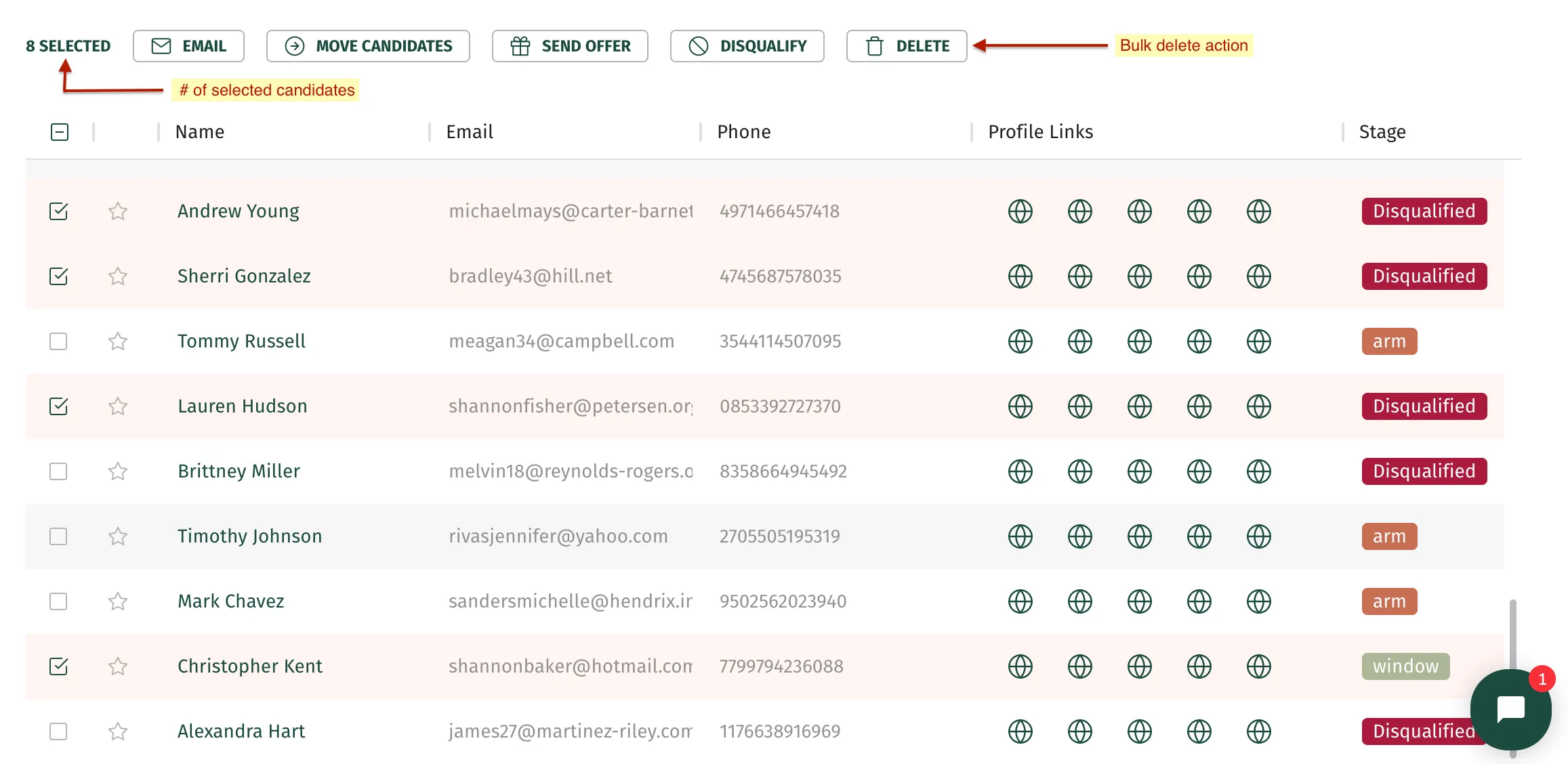
- You will find a checkbox on the left side of each candidate, select as many candidates as you want to delete.
- Next, above the list of candidates, you will be able to see a list of actions, there you will find a delete button. Click on it to delete selected candidates.
This bulk action is very useful, however, if you want to delete just a single candidate, hover over that candidate’s row, and a bunch of buttons will appear. Click on the following button in order to delete that candidate.
